
Blog
The Ultimate Guide to Ergonomic Workspace Assessment for a Healthier Office Setup

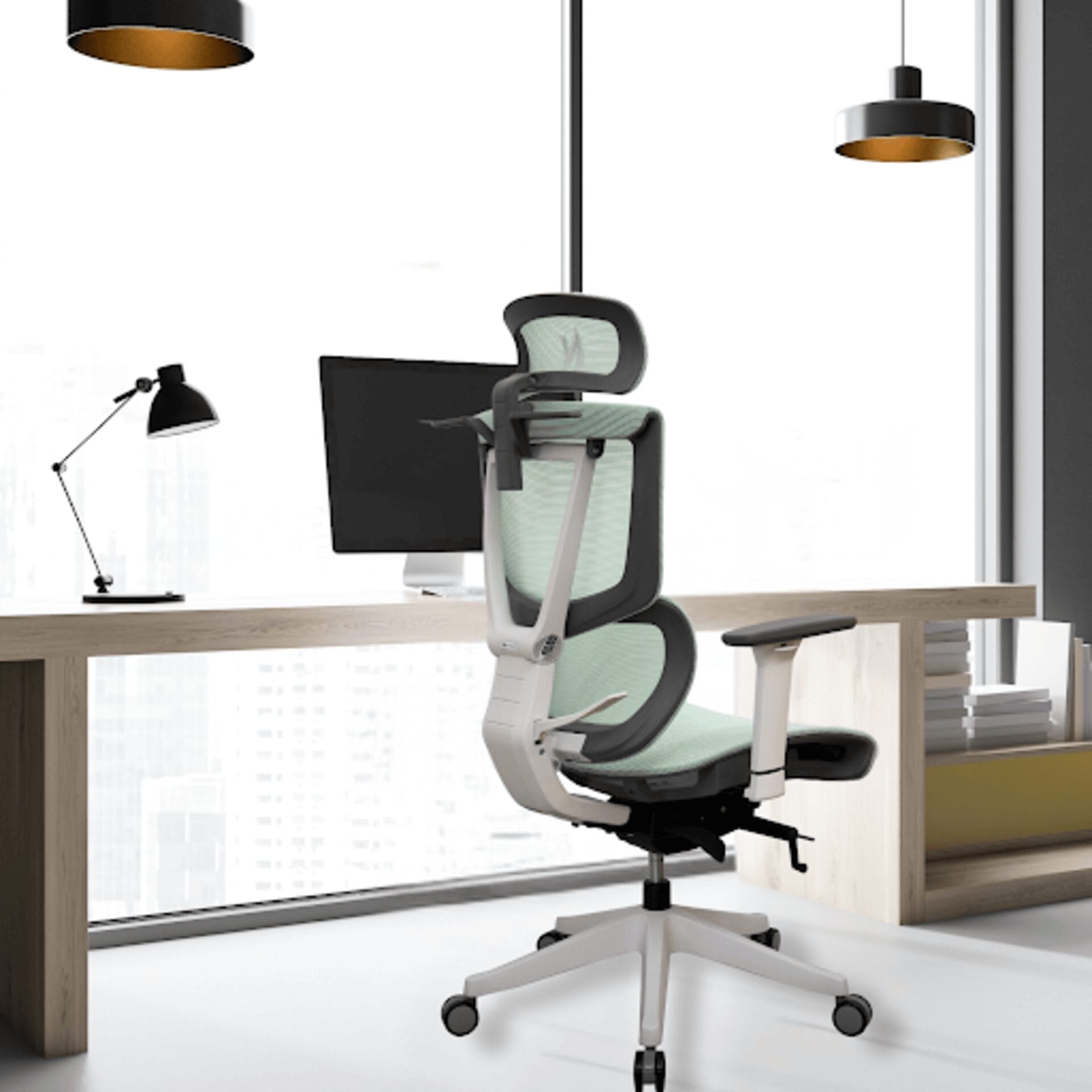
Prolonged sitting in high-pressure business hubs like Singapore causes people to experience chronic back pain and RSIs. You need a “Neutral Posture” setup because static loading increases spinal pressure that leads to long-term musculoskeletal damage. Read this blog to make sure your posture does not affect productivity and well-being in sedentary work environments.
Key Takeaways
- Avoid sitting in rigid 90-degree angles and ensure a 110-degree recline to reduce lumbar disc pressure and spinal fatigue in sedentary work environments
- Ensure that there is a two-finger gap behind the knees (from the chair edge) to maintain circulation and assess whether your chair’s seat depth suits the lower spine
- Keep your monitor at arm’s length with the top at eye level to prevent neck craning and eye strain
Singapore Business Review reports that employees in Singapore work an average of 45 hours per week. Although this value is close to the global average, sedentary workplace behaviors can affect your health over time. Furthermore, Cornell Chronicle reports that an optimized ergonomic setup can reduce musculoskeletal problems by up to 40% and within around 8 months. But how will you know these ergonomic standards? What should you do to make your workplace ergonomic? This blog will help you.
Why Conduct a Workspace Assessment?
A workplace ergonomic assessment might be needed for your desk, chair, and computer setup to understand whether it meets the standard requirements or not. It is essential to ensure that you have “Neutral Posture” so that you can prevent repetitive strain injuries (RSIs) and chronic fatigue that are caused by static loading.
The “Neutral Posture” Blueprint
This is the technical standard that sets out proper principles that ensure the spine maintains its natural S-curve. The blueprint focuses on developing an efficient, supportive, and comfortable work environment that minimizes tension on muscles, bones, and tendons. Let’s get into the details.
The 90-Degree Rule vs. The 110-Degree Reality
The 90-Degree Rule (Traditional View): This position requires a person to sit upright, keeping all joints at a perpendicular angle.
- Elbows positioned close to the body, resting at 90° on armrests
- Hips or truck forming a 90° angle, maintaining an upright posture
- Knees and feet, both at 90°, with feet flat on the floor or on a footrest
However, maintaining this position is stressful and tiring, which can cause “static loading”. This further increases pressure on the lumbar vertebrae, which can even cause an injury.
The 110-Degree Reality (Modern Ergonomics): This position includes a slight recline, especially at the hips, which allows the chair to take more body weight. This, in turn, reduces the stress on your spine.
- The hip and back angle should remain around 100° to 110° of recline, which is better for reducing disc pressure.
- This ensures dynamic support, which requires modern chairs that allow rocking or multiple easy-to-reach angles. This feature in ergonomic chairs promotes “micro-movements” that support spinal health.
- Lastly, the open hip angle is for individuals with long thighs which needs chairs to have a wider angle (more than 90°). This helps prevent the pelvis from tilting backward, which reduces sciatic pressure.
A detailed knowledge of lumbar spinal loads is a basic requirement for proper management of various spinal disorders and effective injury prevention in the workplace. So, you need to know how much pressure your body is under. According to research, in comparison to the pressure of load while sitting straight, reclining reduces the pressure by 50 to 80%. Similarly, unsupported sitting increases the load by 40%, forward leaning (slouching) increases it by more than 100%.
Step-by-Step Self-Assessment Checklist
Want to assess your workplace ergonomics yourself? Follow the checklist below to know whether your workspace is ergonomic or can harm you over time.
Phase 1 – The Foundation (Chair & Seat Depth)
- The Finger Test: First, check whether there is a 2 to 3 finger gap between the seat edge and the back of your knees. This is because proper seat depth ensures appropriate support for the backrest that prevents pressure on the veins behind your knees.
- The Lumbar Alignment: Check if the curve of your chair meets the curve of your lower spine, specifically L1 to L5. Because proper ergonomic seating relies on a “ground-up” approach, in which the seat depth is the foundation for appropriate lumbar alignment.
Phase 2 – The Interface (Keyboard & Mouse)
While sitting, your elbows should be tucked, not winged. Your wrists should be in a “floating” neutral position, without resting on any hard edges.
Phase 3 – The Visual Plane (Monitor & Eye Level)
- Monitor Height: The top of the screen should be at or slightly below eye level. Your eyes should look slightly downward when viewing the screen’s center.
- Monitor Distance: At least 20 inches (51 cm) away from your eyes, which is around an arm’s length away. If your screen is larger, place it farther away.
- Screen Tilting: Tilt the monitor back by 10° to 20°. If you wear bifocals, lower the monitor below eye level and tilt your screen back to 30° to 45°.
The DIY Ergonomic Scorecard
What are the major considerations that signal proper office ergonomics? The following table shows you the correct and incorrect ways to sit in workplaces.
| Assessment Factor | Correct “Green” Signal | Immediate “Red” Flag | Fix Recommendation |
|---|---|---|---|
| Eyes | Look straight ahead to the top of the screen | Chin is tilted down or craning forward | Add a monitor riser or arm |
| Back | The lower back is flush against the backrest | The gap between the spine and the chair | Adjust Lumbar Depth/Height |
| Feet | Flat on the floor (or footrest) | Dangling feet or crossing legs | Lower chair height or use a footrest |
| Wrists | Parallel to the floor | Tilted upward or resting on the desk edge | Lower armrests to elbow height |
Table 1: Ergonomic Scorecard
Addressing Singapore-Specific Workplace Challenges
Around 73% of office workers in Singapore have reported pain in the neck, shoulders, or lower back, as stated by a study conducted by the Singapore General Hospital. Singapore, being one of Asia’s most dynamic business hubs, needs to make its workplaces more ergonomic to keep the workforce going! For starters, consider the following:
The “Small Space” Struggle (HDB Home Offices)
If you live in HDB flats under the Home Office Scheme, operating small-scale offices in your homes, try ergonomic compact chairs with “flip-up” arms from Next Chair. These chairs offer better support to your neck and back because they fit under narrow desks.
Humidity and Comfort (Material Science)
People working desk jobs in Singapore are recommended to use Class 4 Gas Lift chairs with High-Tension Mesh. These features make the chair easy to use while preventing heat traps and frequent height adjustments in hybrid setups.
| Feature | Problems Solved | Benefit for Singaporeans |
|---|---|---|
| High-Tension Mesh | Heat trap, sweat, sagging, humidity | Superior ventilation, sustained back support, keeps back and thighs dry, with the mesh maintaining its shape and ergonomics for around 5 to 8 years |
| Class 4 Gas Lift | Sinking chair, frequent adjustments | Long-term reliability, high-use stability, reduces the need for early replacement, and can support up to 250 kg |
Table 2: Singapore-Specific Chair Features
Advanced Tools for Assessment
- AI Posture Trackers: Consider using webcam-based AI software that will alert you every time you start slouching.
- The RULA Method: The Rapid Upper Limb Assessment (RULA) is a survey-based ergonomic tool that can help you assess biomechanical and postural loading on your body, which causes upper limb disorders. Scoring is done based on a scale of 1 to 7+ as shown below:
- 1-2: No risk, posture is acceptable.
- 3-4: Proper assessment needed, changes may be required.
- 5-6: Serious assessment and changes required soon.
- 7+: Formal assessment and changes required immediately.
Need Ergonomic Office Chairs? We Can Get You Exactly What You Need!
To enforce an ergonomic workplace that supports your posture and health, self-assessment is the first step, and physical testing is the second. Contact us today to get a proper ergonomic workspace assessment done for your workplace after you have read this guide! We assure you that our chairs will make your workspace better and make working more fun.
Frequently Asked Questions
1. I Follow the Rules, but My Neck Still Hurts. Why?
This can happen because of “Tech Neck” when your head remains tilted forward for a long time, causing strain. Ensure your monitor is centered and maintains the eye level suggested in the blog.
2. Should I Get an Assessment Before or After Buying a Chair?
Ideally, assessment should be done before, so that you can identify your specific “Red Flags” and buy a chair from companies like Next Chair that solves ergonomic issues. For example, if you have short legs, you must look for a chair with seat depth adjustment.
3. How Often Should I Incorporate Movement Into My Workday?
Follow the 20-8-2 rule: sit for 20 minutes, stand for eight, and move for two to boost circulation.
4. Does a Standing Desk Eliminate the Need for Ergonomic Chairs?
No. Prolonged standing causes leg strain. Alternating between a supportive ergonomic chair and a standing desk provides the best health outcomes.
5. What Lighting Setup Best Complements an Ergonomic Workspace?
Use indirect ambient lighting and a task lamp to minimize screen glare, which prevents unconscious leaning and poor postural adjustments.