Blog
Ergonomic Office Essentials for a Perfect Workspace Setup


A study by Singapore General Hospital (SGH) found that 7 in 10 office workers experience pain in at least one part of the body, including the spine, back, and hips. Ergonomic chairs come into play, crucial for long-term health, mental well-being, and sustained efficiency, reducing the risk of musculoskeletal injuries.
Key Takeaways:
- Achieving a perfect workspace setup in Singapore includes a holistic commitment to long-term health
- Specific solutions to high humidity and long working hours in Singapore mandate German AirMesh™ and LumbarFlo™ Technology
- NextChair gives a premium ergonomic chair, a solution for a seamless setup experience
If you are facing work-related musculoskeletal disorders or physical strain due to prolonged office tasks, wellness-centered office chairs from NextChair have the key wellness features.
This guide explores the essential ergonomic tools required to build a pain-free, high-performance workspace in 2026.
Why Ergonomics Matter in Modern Workspaces
Poor workstation setups along with long working hours in Singapore have created a high burden of health issues, specifically neck/back pain, chronic fatigue, and digital eye strain.
Ergonomics is the science of designing workplaces that minimize strain, enhance productivity, and prevent injury.
Here are the some of the reasons ergonomics matters-
- Increased productivity
- Reduced physical stress and fatigue
- Enhanced health and injury prevention
- Improved morale and motivation of employees
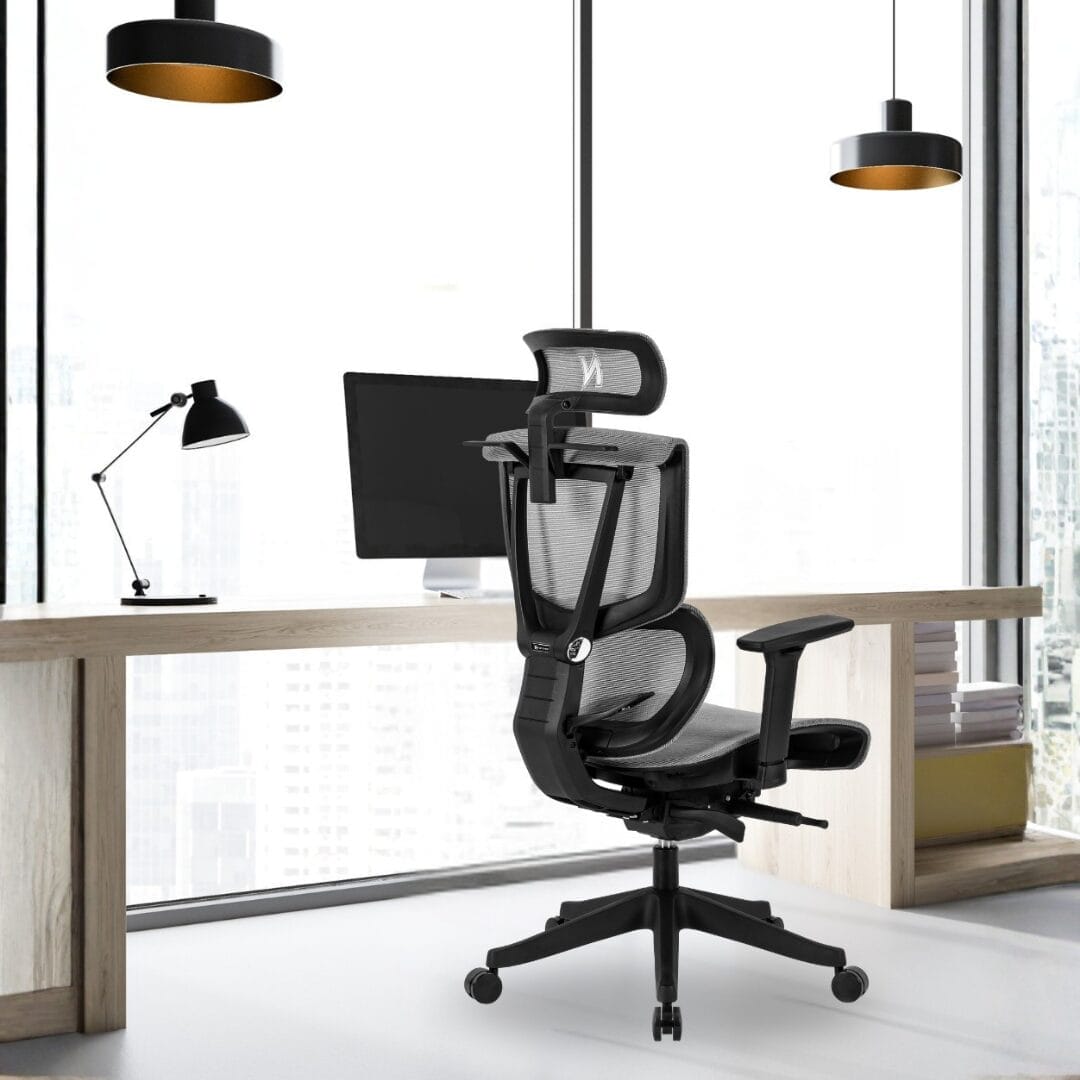
The NextChair Luxe 2.0 features LumbarFlo™ Technology, the modern ergonomic chair, and a dynamic support system that adjusts to your spine’s natural curve in real-time. Unlike static chairs that “lock” you in place, the Luxe 2.0 moves with you.
The NextChair Dual Monitor Arm. Elevating your screens to eye level prevents “Tech Neck”. Pair this with the NextChair Classic 2.0, which offers a dedicated Adjustable Headrest specifically designed to support the cervical spine during long Zoom calls.
The Core Principles of an Ergonomic Workspace
Ergonomic workspace fits the job to the worker by maximizing comfort, productivity, and health, along with reducing injury risks.
Key principles that an ergonomic workspace may include-
- Maintaining a neutral posture and body alignment
- Optimizing the work area for the user, organizing frequently used items, and less-used items
- Using adjustable chairs, a desk, and a monitor stand at a 90-degree angle for the user
- Incorporating movements and reducing static loads
The Sliding Seat Function found on the Luxe 2.0 allows users of different heights (crucial for the different body types) to adjust the seat depth, ensuring there is no pressure on the back of the knees (popliteal fold), which is the primary cause of leg numbness.
Must-Have Ergonomic Office Essentials
Essential ergonomic office tools prioritize comfort and posture, reducing strain during the long working hours.
Key items include-
- Highly adjustable ergonomic chair with lumbar support
- Standing desk converter
- Monitor arm for eye-level viewing
- Ergonomic keyboard and mouse
| Pain Point | NextChair Essential Product | Feature that Solves It |
| Lower Back Pain | Luxe 2.0 (Limited Edition) | LumbarFlo™ dynamic support that tracks your lower back. |
| Shoulder Tension | NextChair Classic 2.0 | 3D Adjustable Armrests to keep shoulders relaxed and elbows at 90°. |
| Wrist Fatigue/RSI | NextChair Pro Deskpad | Provides a smooth, padded surface that reduces friction on the median nerve. |
| Floor Scratches/Noise | NextChair Floor Mat | Heavy-duty protection that ensures smooth gliding without HDB neighbor complaints. |
Table 1: Must-have ergonomic essentials from NextChair for your comfort
How to Set Up the Perfect Ergonomic Workspace
The following checklist can be maintained while setting up a perfect ergonomic workspace-
- Monitor placed directly in front of the user’s face (Screen at eye level)
- Maintaining a distance of 50-70 cm from the monitor
- Keyboard and mouse at the same height
- Feet flat on the floor
The NextChair seamless setup guarantees free on-site assembly calibrated to your specific desk height and body type, the moment it enters your home/workspace.
How to Customize for the Home Office vs. Corporate Space
Customization of the home office includes prioritization of personal comfort, aesthetics, and flexibility. On the other hand, corporate spaces emphasize cohesion, professional branding, and functional efficiency.
| Feature | Home Office (Personalized) | Corporate Space (Standardized) |
| Ergonomic Chair Adjustment | Set once to your specific height, lumbar curve, and weight Allows for more “active sitting” chairs |
Needs high-range adjustability (4D armrests, seat slide) to accommodate multiple users of different sizes |
| Desk Height | Often fixed to the individual’s elbow height or a personalized sit-stand desk with saved memory presets | Usually standardized heights or shared sit-stand desks that require manual recalibration at every shift |
| Monitor Setup | Flexible placement Utilizes natural light or specific focal lengths tailored to your vision and screen size |
Standardized dual-monitor mounts Should account for “hot-desking” and glare from overhead fluorescent lighting |
| Lighting | Layered lighting: utilizes a mix of natural light, warm ambient lamps, and dedicated task lighting to reduce eye strain | High-output overhead LED or fluorescent panels Limited control, often requiring “blue light” filters or monitor hoods |
| Peripheral Gear | Custom choice of split keyboards, vertical mice, or wrist rests based on specific comfort or past injuries | Generally uses standardized tactile keyboards/mice Specialized gear usually requires a formal HR assessment |
| Acoustic Environment | Controlled by soft furnishings (rugs, curtains) or personal speakers Zero background chatter |
Dependent on “sound masking” systems, acoustic baffles, and noise-canceling headphones to manage open-plan noise |
| Mesh breathability | For high humidity or heat in Singapore | Specialized mesh contains a hybrid of high-density fabric and polyester that contours to the user’s spine |
Table 2: Home Office vs. Corporate Space Settings
2026 Ergonomic Trends and Future-Ready Workspaces
Ergonomic trends and future-ready workspaces are defined in 2026 by human-centric design and high-flexibility, wellness-focused environments.
Here are some key trends in the ergonomic and workspace-
- Active and dynamic seating (encouraging movement and adjusting to the user’s body measurements)
- Work+ hospitality design (Blend of comfort with professional functionality)
- Neuro-inclusive and sensory design (Sensory-aware designs to support diverse work styles and reduce mental fatigue)
- Use of mesh fabric for breathability and postural support
- Proactive well-being (focus on algorithmic ergonomics to adjust to the environment)
The Ministry of Manpower (MOM) ergonomic guidelines focus on adjusting chairs, screens, and keyboards to maintain a 90-90-90 posture and flat feet on the floor.
Our German AirMesh™ is specifically chosen for Singapore’s 90% humidity. While leather “gaming” chairs trap heat and cause skin irritation, NextChair’s breathable mesh allows for total airflow, keeping you focused and cool in non-air-conditioned home offices.
Invest in your Workspace
Do not become part of the 70% chronic pain statistic. Upgrade to flexible modular seating for reduced absenteeism in your office. There are several models to choose from, including ergonomic office chairs, deskpads, floor mats, and monitor arm. Explore our range of ergonomic office essentials now!
Frequently Asked Questions.
-
What are the consequences of a laptop-only setup?
Hunching over the laptop screen will force your neck into an awkward, high-strain position for long working hours per day, leading to-
- Chronic cervical pain
- Musculoskeletal pain
- Spinal misalignment
- Eye strain
- Repetitive strain injuries
- Tech neck
Pair a NextChair Classic 2.0 with the NextChair Monitor Arm for an effective setup, reducing your health issues. NextChair base fits under smaller HDB study desks, in case your space is compact.
-
I am having severe wrist pain sometimes with long working hours. How can I avoid wrist pain from increasing further?
With long working hours, you are facing Repetitive Strain Injury (RSI), such as carpal tunnel syndrome or tendonitis.
In order to avoid this, your keyboard should be placed so your forearms are parallel to the floor and your wrists remain straight while typing.
The NextChair Pro Deskpad provides the necessary tactile friction and cushioning to keep your wrists neutral, while our 3D Armrests ensure your forearms stay parallel to the floor.
-
I have an expensive chair (other brands), but I still feel pain. Why is this chair not good for my ergonomics?
Expensive chairs may be branded but it may not have good ergonomics! IT may be expensive simply due to branding and market perception but it may not be designed to have good ergonomics.
The NextChair Luxe 2.0 is engineered with LumbarFlo™ Technology. Unlike static chairs, the lumbar support moves with your spine’s natural flexion.
Unlike other office chairs that sag after 12 months, NextChair’s German AirMesh™ maintains its tension. Also, we provide up to an 8-year warranty on our ergonomic mesh chairs.
-
Why do my legs feel so numb after a certain number of hours of working?
Your chair may be too high, which causes your legs to dangle and put pressure on the back of your thighs. Relevant adjustments to your chair heights are required. Do ensure your chair is height-matched so that you feet can touch the ground, and is in lined with your desk
-
Do I need an expensive ergonomic chair to make my setup effective?
Expensive high end chairs may not be designed for ergonomics! There are brands that are expensive due to their branding and market perception, but the adjustability of the chair and ergonomics are essential in making you feel comfortable. The price tag is not related.
You do not need a $2,000 chair. Our ergonomics chair comes with 11+ adjustment points, giving you the flexibility and adjustability of the chair for an effective office setup.